Report Results Panel
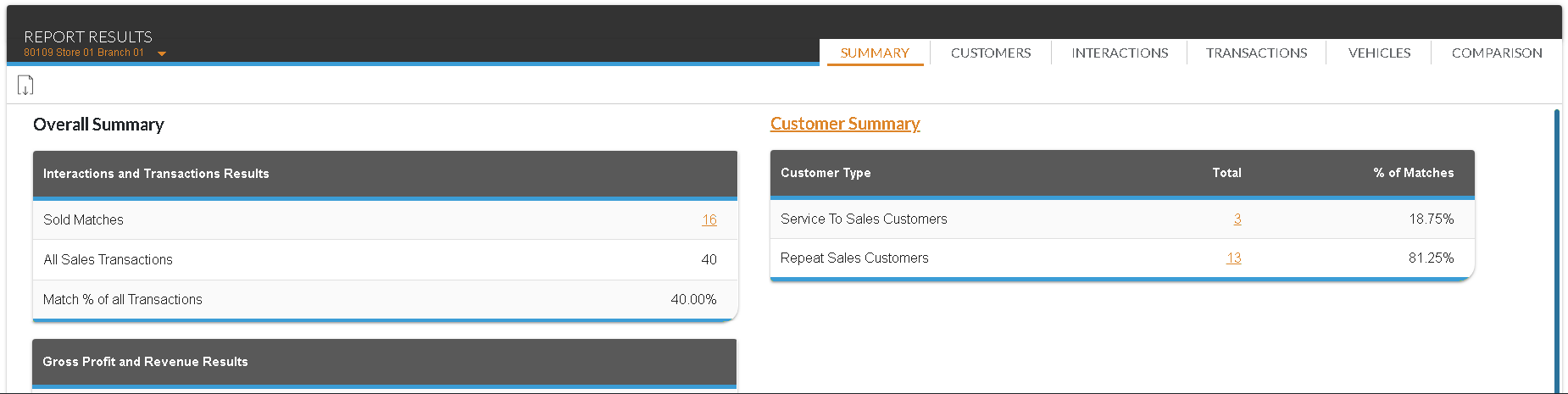
The Report Results panel on the Sales Summary screen is used to view the Sales Summary report, which can be used to review a variety of sales data and statistics. Using this report, managers can review sales information, such as the amount of gross profit per sale, the number of service leads and sales campaign leads that resulted in vehicle sales, and which vehicles generated the most gross profit.

|
To access the Report Results panel, enter criteria in the Report Criteria panel on the Sales Summary screen. Then click the RUN button. |
To export the information on this panel, click the  (Export Report) icon. The Export Report? window displays. Select a file format, such as .csv,.pdf, or .xlsx, and click the EXPORT button. The results are exported in the selected file format and are saved to the PC or network drive.
The Report Results panel is divided into tabs based on the selection in the Type field on the Report Criteria panel. The following tabs are available for both report types:
- Summary tab. The Summary tab is used to view a summary of sales information included on the report.
- Interactions tab. The Interactions tab is used to view sales information based on the different types of customer interactions.
- Comparison tab. The Comparison tab is used to compare the results of the current Sales Summary report with previous sales data, allowing you to view how sales have improved or declined over a specific time period.
The following tabs are available when Deal Date is selected in the Type field:
- Customers tab. The Customers tab is used to view sales information based on whether customers were first-time service customers or repeat sales customers.
- Transactions tab. The Transactions tab is used to view sales information based on the type of sales transaction. Information on this tab is divided by the type of deal and the type of vehicle.
- Vehicles tab. The Vehicles tab is used to view sales data based on the year, make, and model of the top five best-selling vehicles.
Click here for a list of products that may be mentioned in this help file.